Node.js vs JavaScript in the Browser
Why are we even doing this?
Section titled “Why are we even doing this?”I want you to think of the Browser like a high-security hotel room. It’s nice, it’s comfortable, and it has a minibar (the DOM). But you can’t just drill a hole in the wall or rewire the electricity. You are a guest. You are sandboxed for your own safety—and for the safety of the guests next door (other tabs).
Node.js? Node.js is a private construction site where you own the keys. You want to rip up the floorboards and access the file system? Go ahead. You want to open a network port and shout at the internet? Be my guest. But with great power comes… well, you know the rest. (If you break it, you have to fix it).
The Shared Engine
Section titled “The Shared Engine”Both environments run on the same engine: the V8 Engine (the same one Google Chrome uses). This means the JavaScript syntax you know—variables, functions, objects—is exactly the same. But the environment—the stuff you can touch and break—is different.
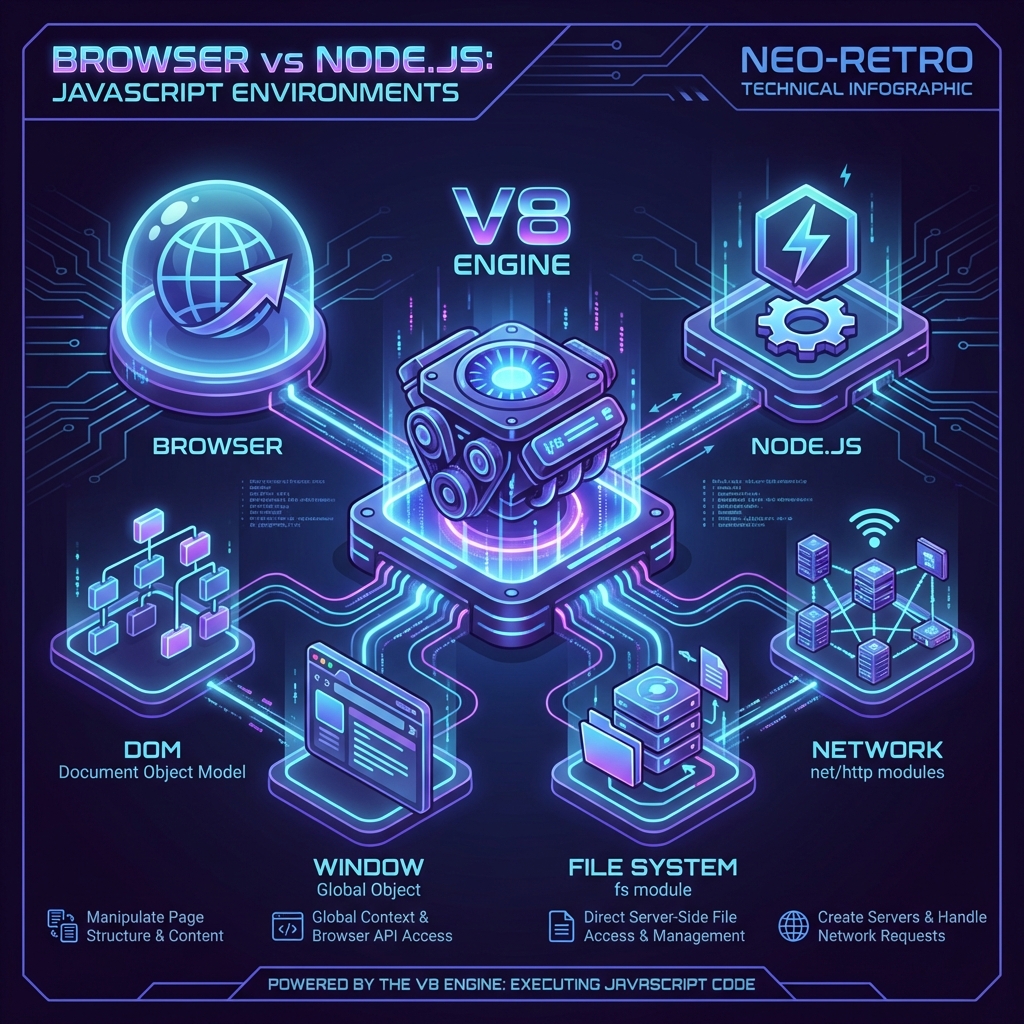
Fig 1. The Tale of Two Runtimes. Same heart (V8), different limbs.
Where it Runs
Section titled “Where it Runs”Client-side (front-end) JavaScript runs in the browser. It’s delivered to the user’s computer and executed there.
Node.js runs on a server (or your laptop). It’s a C++ runtime wrapped around V8 that lets you run JavaScript outside of the browser context.
What it can Access
Section titled “What it can Access”In the browser, you interact with the DOM (Document Object Model). You click buttons, change colors, and annoy users with popups. But you generally cannot read files from the user’s hard drive (thank goodness).
In Node.js, you have no DOM. Zero. Zip. If you try to document.getElementById something, Node will just stare at you. Instead, you have the File System (fs) and the ability to listen for network requests.
The Root Object
Section titled “The Root Object”In the browser, the king of the castle is the window object. It holds all your global variables.
In Node.js? There is no window. (Stop looking for it, it’s not there).
In Node.js, the root is the Global Object.
// Browser (Hotel Room)window.setTimeout(() => console.log("Room Service!"), 1000);
// Node.js (Construction Site)// window.setTimeout(...) // ReferenceError: window is not definedglobal.setTimeout(() => console.log("Work order complete."), 1000);
[!NOTE] Actually, in modern Node.js allowed us to use
setTimeoutdirectly withoutglobal.prefix, just like in the browser. But technically, it lives onglobal.
⏭ Next Pit Stop
Section titled “⏭ Next Pit Stop”⏭ Don’t get stuck waiting for the bathroom; we’re diving into the non-blocking magic of the Global Object next (wait, that metaphor fell apart). Let’s just talk about The Global Object.