Shell Connection
The MongoDB Shell: Mongosh
Section titled “The MongoDB Shell: Mongosh”We need a tool to talk to the cluster.
To get started, we will use mongosh (MongoDB Shell), a JS-based terminal interface.
Why not the GUI (Compass)?
Compass is great, but mongosh is the bare-metal way to learn the basics.
Installation
Section titled “Installation”Option A: macOS (Homebrew)
Section titled “Option A: macOS (Homebrew)”The easiest path for Mac users.
brew install mongoshOption B: Windows (Winget)
Section titled “Option B: Windows (Winget)”The modern path for Windows users.
winget install MongoDB.MongoshOption C: Manual Install
Section titled “Option C: Manual Install”If package managers fail us, download the ZIP file from the official MongoDB Shell Download page.
Verification
Section titled “Verification”Open your terminal and check the version to ensure it’s installed.
mongosh --versionIf we see a version number (e.g., 2.7.0), our tools are ready.
Choose Shell as the connection method
Section titled “Choose Shell as the connection method”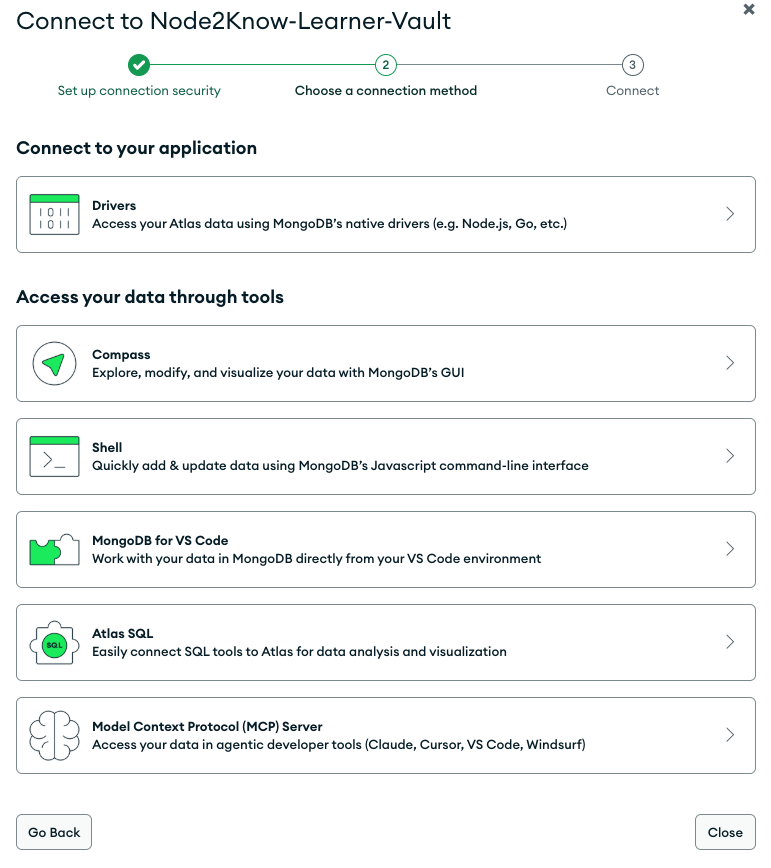
Fig 1: Choosing MongoDB Shell (mongosh) as the connection method.
⏭ Establish Connection
Section titled “⏭ Establish Connection”Wire the circuit: connecting our local terminal to the cloud cluster.