Inserting Documents
What is a Document?
Section titled “What is a Document?”In the MSSQL universe, the closest analog to a Mongo Document is a Row.
- SQL Row: A flat record in a table. Column A, Column B, Column C.
- MongoDB Document: A rich, complex object.
The Big Difference: Depth
Section titled “The Big Difference: Depth”A SQL Row is flat. If you want a list of “tags” for a blog post in SQL, you can’t put them in the row. You have to create a separate Tags table and join them.
In MongoDB, a Document is 3-Dimensional. It can contain arrays and other documents inside it.
{ "_id": "507f1f77bcf86cd799439011", "title": "My Blog Post", "tags": ["mongodb", "coding", "pizza"], // <-- An Array! "author": { "name": "Professor Solo", // <-- A Sub-document! "role": "Site Foreman" }}BSON (Binary JSON)
Section titled “BSON (Binary JSON)”While MongoDB documents look like JSON (JavaScript Object Notation), they are stored as BSON (Binary JSON).
Why? JSON is text. It’s slow to scan and limited in types (it doesn’t know the difference between an Integer and a Float, or a Date and a String).
BSON is binary. It’s fast to scan, and it supports more data types, like Date objects and ObjectId.
File (insert) a Document
Section titled “File (insert) a Document”We have our projects collection, let’s deposit a document into it.
insertOne()
Section titled “insertOne()”The precision tool. Used for adding a single asset.
db.projects.insertOne({ title: "Neon Dodger", tagline: "A fast arcade game.", tech: ["HTML", "JS"], isComplete: true,});You should see an acknowledgement with an insertedId. That ID is the unique tracking number the Vault assigned to our asset.
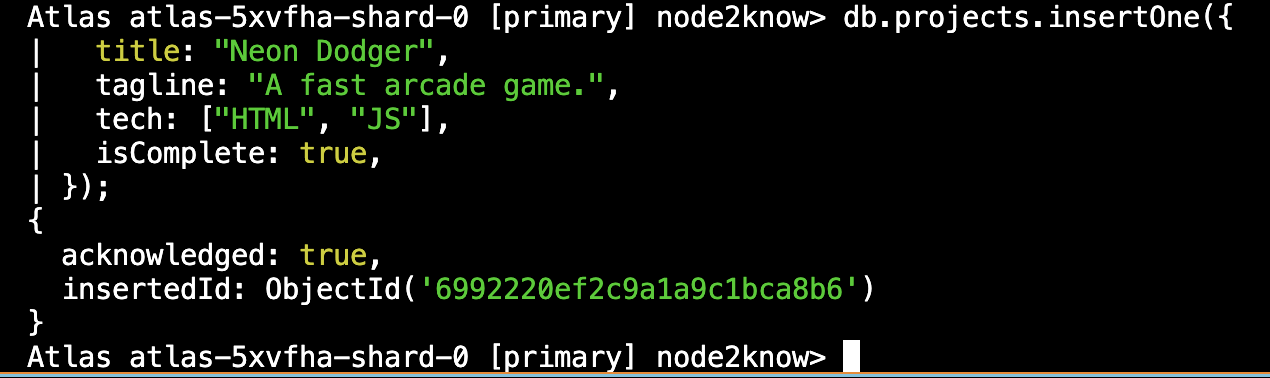
Fig 1: Inserting a single document into a collection.
insertMany()
Section titled “insertMany()”The bulk drop. Used for mass ingestion.
db.projects.insertMany([ { title: "Task Tracker", tech: ["Node", "Express"] }, { title: "Weather Vane", tech: ["API", "CSS"] },]);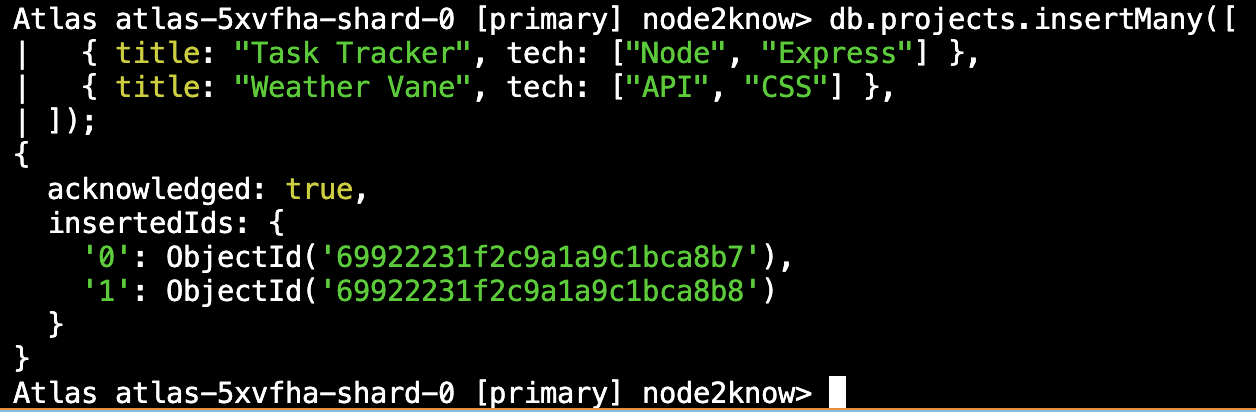
Fig 2: Inserting multiple documents into a collection.
Notice we passed an Array of objects to insertMany. If we pass a single
object, it will break (unless it is wrapped in an array).
The Flexibility Superpower
Section titled “The Flexibility Superpower”Did you notice what we didn’t do?
- We never created a “Schema” for the
projectscollection. - The first document had
isCompleteandtaglinefields. - The next two documents didn’t have those fields.
This is MongoDB’s superpower. We didn’t have to run a database migration to add tagline. We just added it. The Vault accepts whatever shape of data we give it.
⏭ Retrieving Assets
Section titled “⏭ Retrieving Assets”Getting our data back out with find() and filtering.