Finding Documents
The Retrieval
Section titled “The Retrieval”We put data in. Now, can we get it back?

find()
Section titled “find()”The “Show Me Everything” command.
db.projects.find();By default, mongosh formats the output nicely. In older shells, we had to use .pretty(), but modern tools handle the aesthetics for us.
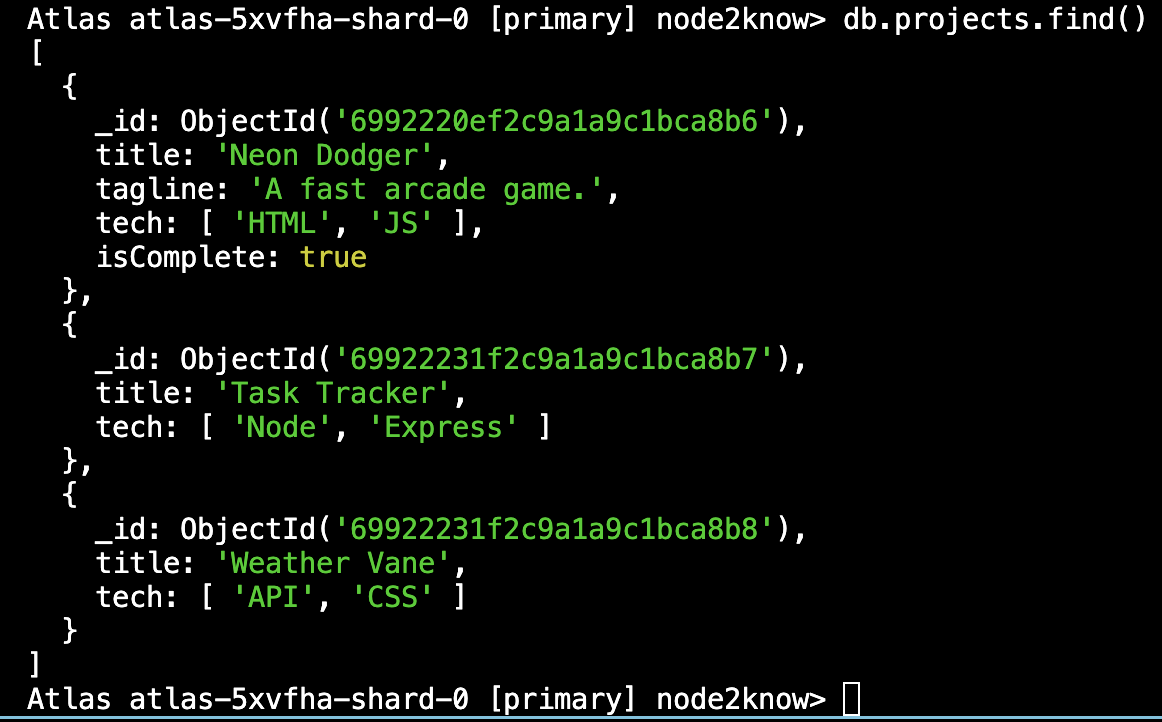
Note: The _id field is automatically generated by MongoDB and is a unique identifier for each document.
Also note: The documents are not “massaged” or “normalized” in any way. They are stored exactly as we inserted them.
findOne()
Section titled “findOne()”Returns the first document that matches.
By matches, we’re talking about the query object we pass to the function - notice the empty curly braces.
If the query object is empty, it will return the most recently inserted document.
db.projects.findOne({});// Returns the most recently inserted document.Filtered Retrieval
Section titled “Filtered Retrieval”We can pass a query object to filter the results. We aren’t just dumping the whole vault on the floor; we are looking for specific boxes.
Let’s find all projects that use “Node”.
db.projects.find({ tech: "Node" });Wait… tech is an Array ['Node', 'Express']. But we just asked for
the string 'Node'.
MongoDB is smart. If we query a field that holds an array, MongoDB automatically looks inside the array for a match. We don’t need any special syntax.
Let’s add another project to our collection to prove it.
db.projects.insertOne({ title: "Project X", tech: ["MongoDB", "Express", "React", "Node"], isComplete: false,});If we run the command again, we will see two documents.
This is a basic equality match. We will cover advanced filtering $gt, $in,
etc. in the Mongoose chapters.
⏭ Introduction Complete
Section titled “⏭ Introduction Complete”We have successfully built a cluster, secured it, connected to it, added a collection, inserted some documents, and retrieved them.
Next Chapter: Let’s make this a bit more secure and review our network access settings.