The Admin List Page
The Control Console
Section titled “The Control Console”To manage data, we first have to see it clearly. The Admin List Page is our unfiltered view of the database. Unlike the public-facing site, which might only show active projects or hide internal notes, the admin view needs to present everything.
We are going to build a view that lists all contact submissions and provides distinct “action clusters” for the admin to interact with.
Building the Inbox View
Section titled “Building the Inbox View”We’ll use EJS to loop through our contacts array and generate an interface. Notice how we establish a clear visual hierarchy: the core information on the left, and the dangerous actionable buttons (like Delete) clearly grouped on the right.
<h2>Admin: Contact Submissions</h2>
<ul class="admin-list js-contacts-list">  <% contacts.forEach(c => { %>    <li      class="admin-item js-contact"      data-id="<%= c._id %>"      style="display:flex; justify-content:space-between; align-items:center;"    >      <!-- Core Information -->      <div class="admin-main">        <strong><%= c.name %></strong>        <small><%= c.email %></small><br />        <small><%= c.postedDate %></small><br />
        <p><%= c.message %></p>      </div>
      <!-- The Action Cluster -->      <div class="admin-actions">        <!-- Visual Status Pill -->        <small class="pill js-read-pill <%= c.isRead ? "pill-read" : "pill-unread" %>">          <%= c.isRead ? "Read" : "Unread" %>        </small>
        <!-- Read/Unread toggle (radio pair) -->        <div          class="read-toggle"          style="display:flex; gap:.75rem; align-items:center; margin:.5rem 0;"        >          <label>            <input              type="radio"              name="readState-<%= c._id %>"              value="unread"              class="contact-toggle-read"              <%= !c.isRead ? "checked" : "" %>            />            Unread          </label>
          <label>            <input              type="radio"              name="readState-<%= c._id %>"              value="read"              class="contact-toggle-read"              <%= c.isRead ? "checked" : "" %>            />            Read          </label>        </div>
        <button class="btn btn-danger contact-delete">Delete</button>      </div>    </li>  <% }) %></ul>
<script src="/scripts/admin/contacts.js"></script>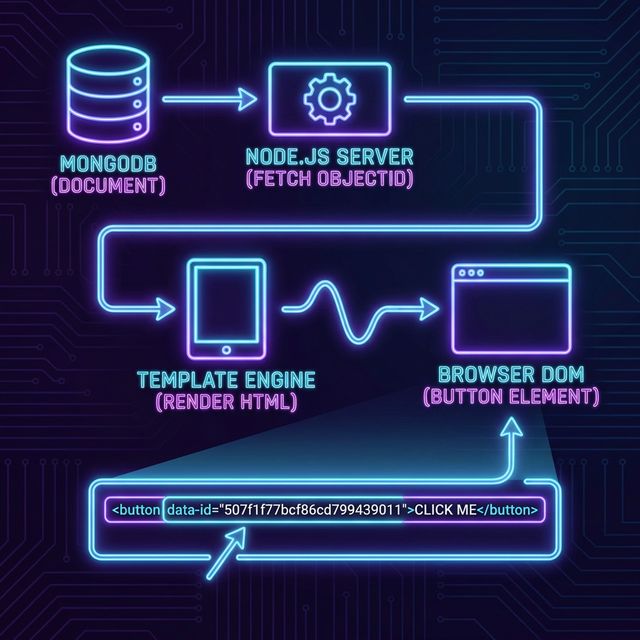
⏭ Next: The Power to Destroy
Section titled “⏭ Next: The Power to Destroy”Now that we can see the data and have a shiny red Delete button, we need to learn how to wire it up to our Mongoose Ops.