Mongoose Data Operations
Handling Creation vs. Update
Section titled “Handling Creation vs. Update”At the bottom of our architecture stack sits our Data Operations class. The Router expects this class to return an object indicating success or failure.
Because “Create” and “Update” use completely different Mongoose methods under the hood (new Model() vs. findById()), they remain distinct functions in our Ops layer.
The Creation Operation
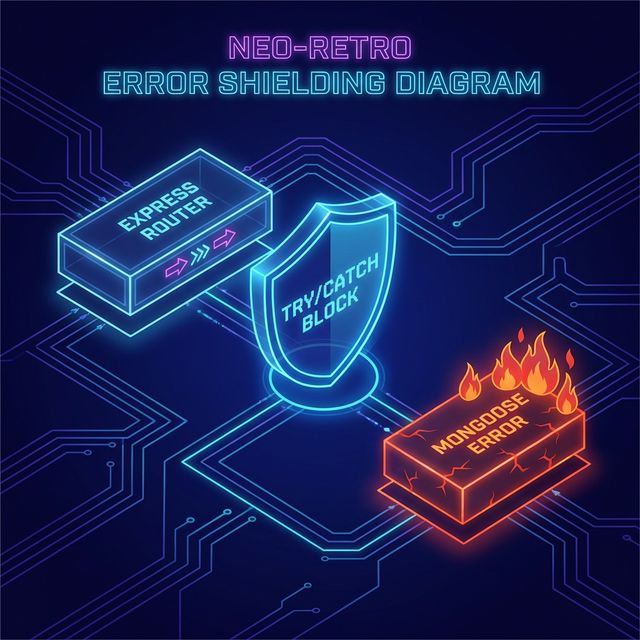
Section titled “The Creation Operation”Creating a document is simply passing a JavaScript object into the Mongoose constructor, and then calling .save(). We wrap this in a try/catch block so that if validation fails (like a missing required slug), we can gracefully handle the failure rather than crashing the Express server.
// data/projects.js (inside ProjectOps)async createProject(formData) {  try {      // 1. Pass the data to the constructor      const project = new Project(formData);
      // 2. Validate and write to the database      await project.save();
      // 3. Return success and the newly generated document      return { success: true, project };  } catch (error) {      // 4. Return failure, the error object, and null for the doc      return { success: false, error, project: null };  }}
The Update Operation
Section titled “The Update Operation”The update operation follows our trusted Load → Modify → Save pattern. We must catch two types of failures here:
- The unique ID string is invalid or not found in the DB.
- The manual property updates violate the Mongoose Schema rules upon
.save().
// data/projects.js (inside ProjectOps)
async getProjectById(id) {    return await Project.findById(id);}
async updateProjectById(id, updates) {  try {      // 1. Load the document      const project = await Project.findById(id);
      // Guard: Deal with missing documents      if (!project) {          return {              success: false,              project: null,              errorMessage: "Project not found.", // Custom friendly message          };      }
      // 2. Modify properties individually      project.title = updates.title;      project.slug = updates.slug;      project.description = updates.description;      project.isActive = updates.isActive;
      // 3. Save (Validation triggers here)      await project.save();
return { success: true, project, errorMessage: "" }; } catch (error) { // Guard: Deal with validation/schema errors return { success: false, project: null, errorMessage: "Update failed." }; }}Is returning a massive { success, project, errorMessage } object verbose? Yes. Does it completely eliminate random undefined variable crashes in your router? Also yes. Embrace the verbosity when it adds stability.
Do not skip the try/catch blocks here. Mongoose will absolutely throw a
fatal error up the stack if .save() fails a schema validation. If your Ops
layer doesn’t catch it, your whole site goes down.
Extra Bits & Bytes
Section titled “Extra Bits & Bytes”MDN Web Docs: try…catch
⏭ Next: Wrapping Up Mutations
Section titled “⏭ Next: Wrapping Up Mutations”We’ve covered deletions via fetch(), simple updates with forms, and complex form-sharing logic. Let’s look back over the landscape before we tackle related data models.