Target Auth Behavior
The Action Plan
Section titled “The Action Plan”Before writing code, we need to map out the “zones” of our application. Which paths should remain freely open to visitors, and which paths require checking the “wristband” at the door?
We’ve decided on a strict Public vs. Protected boundary for the Projects Portfolio.
Public (No Login Required)
Section titled “Public (No Login Required)”These routes are the face of your portfolio. They are optimized for visitors, viewers, and potential clients.
- The overarching Home Page.
- The standard Projects Listing view (
/projects). - Individual Project Details view (
/projects/:slug). - The Public Contact Form submission endpoints (
/contact).
Protected (Login Required)
Section titled “Protected (Login Required)”These routes operate behind the velvet rope. They belong strictly to the CMS / Admin environment.
- The entire Admin Dashboard (
/admin). - CRUD operations (Create, Read, Update, Delete) for Projects.
- CRUD operations for Categories (and Tags, eventually).
- Viewing and managing incoming Contact Submissions.
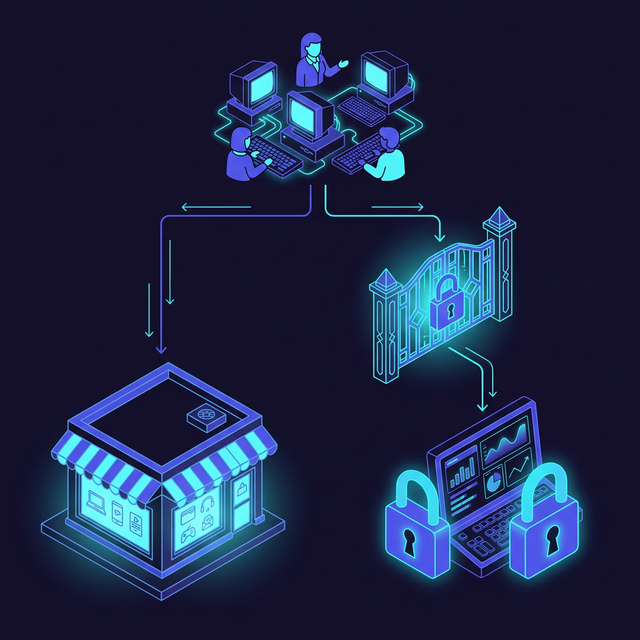
Fig 2: Public vs Protected Flow architecture
With our access control boundaries clearly defined, our next immediate step is to actually design the entity capable of logging in: the User model.
⏭ Next: Data Model: User Schema
Section titled “⏭ Next: Data Model: User Schema”Before we log someone in, we need a place to put them.