Working with HTTP
The http Module
Section titled “The http Module”The http module allows our application to listen for incoming requests and send back responses.
Fundamentally, this is all a web server does: Listen for a request → Do something → Send a response.
http.createServer()
Section titled “http.createServer()”We create a server by calling http.createServer(). This method takes a callback function that runs every time a request hits the server.
2. The Request and Response Cycle
Section titled “2. The Request and Response Cycle”req(Request): Contains details about the incoming request (URL, Headers, Data).res(Response): Used to send data back to the client (Status, Headers, Body).
The Code: A Basic Server
Section titled “The Code: A Basic Server”Let’s build a minimalist server that replies with plain text.
'use strict';
// 1. Load the core 'http' moduleconst http = require('http');
// 2. Define the hostname and portconst hostname = '127.0.0.1'; // Localhostconst port = 3000;
// 3. Create the Server// The callback runs EVERY time a request hits the serverconst server = http.createServer((req, res) => {  // A. Set the status (200 OK)  res.statusCode = 200;
  // B. Set the Content-Type header  // "text/plain" means we are sending simple text, not HTML  res.setHeader('Content-Type', 'text/plain');
  // C. Send the body and close the connection  res.end('Hello Node Server!');});
// 4. Start listeningserver.listen(port, hostname, () => {  console.log(`Server running at http://${hostname}:${port}/`);});
[!TIP] Try it out!
- Run the script:
node server.js(or whatever you named it).- Go to
http://localhost:3000in your browser.- Micro-Challenge: Change the
res.endmessage to something else and restart the server. Notice you have to restart it to see changes? (Unless you usenodemonfrom the previous lesson!)
Diagram: The Request-Response Cycle
Section titled “Diagram: The Request-Response Cycle”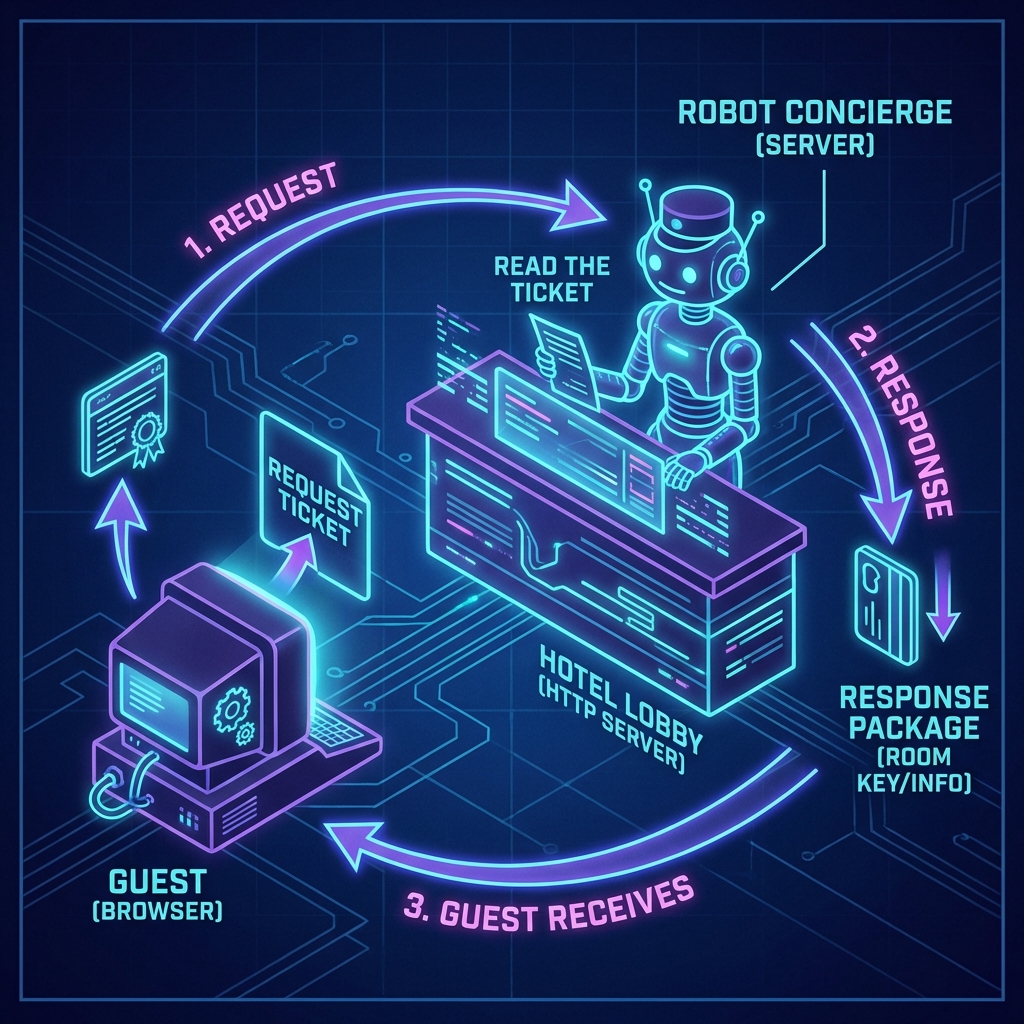
Extra Bits & Bytes
Section titled “Extra Bits & Bytes”Basic HTTP Server Demo Repo
Node.js HTTP Docs
⏭ Next Step
Section titled “⏭ Next Step”Our server file works, but it’s getting a bit crowded. As our application grows, we can’t keep everything in one file.
It’s time to organize our code by modularizing it.